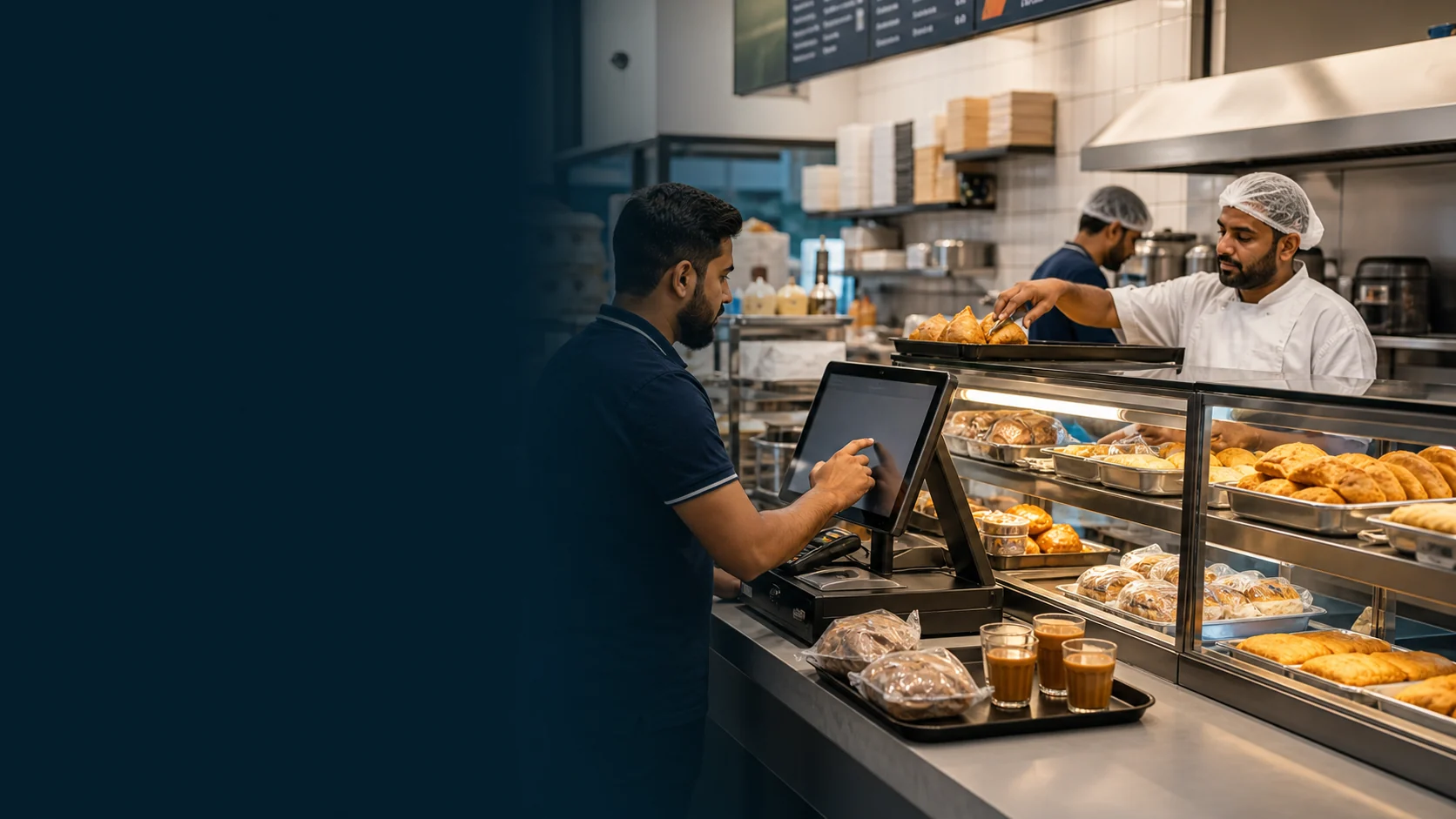
Separate the menu clearly
Group drinks, snacks, hot food and packaged items so the cashier can find the right product without scanning a long list.
Explore POS billingCafeteria POS · UAE
Run tea, snacks, hot food and meal choices through one counter flow. Follow confirmed orders into the kitchen, stock checks, shift close and the records the owner reviews.
Free is AED 0. Paid plans start at AED 99 per active branch each month.
01 · Counter flow
TajerGo gives the cashier a clear path from the first tap to the confirmed order, even when one ticket combines karak, snacks, hot food and prepared-to-order items.
Group drinks, snacks, hot food and packaged items so the cashier can find the right product without scanning a long list.
Explore POS billingSet up sizes, extras and required choices. Bring one real meal combination to the demo so the exact item and modifier setup can be confirmed.
Plan menu setupKeep item choices and preparation notes with the confirmed order, then verify the supported kitchen route your team will use.
See kitchen displayUse held orders, role controls and shift close records to keep a long trading day reviewable without slowing the counter.
Review shift controlsBring a real order with a drink, snack, hot item and one choice. Follow it through the cart, preparation note, kitchen handoff and receipt review.
Real product workflow
These TajerGo product screens use demonstration data. They show the counter, kitchen and inventory surfaces separately from the illustrative hero above.
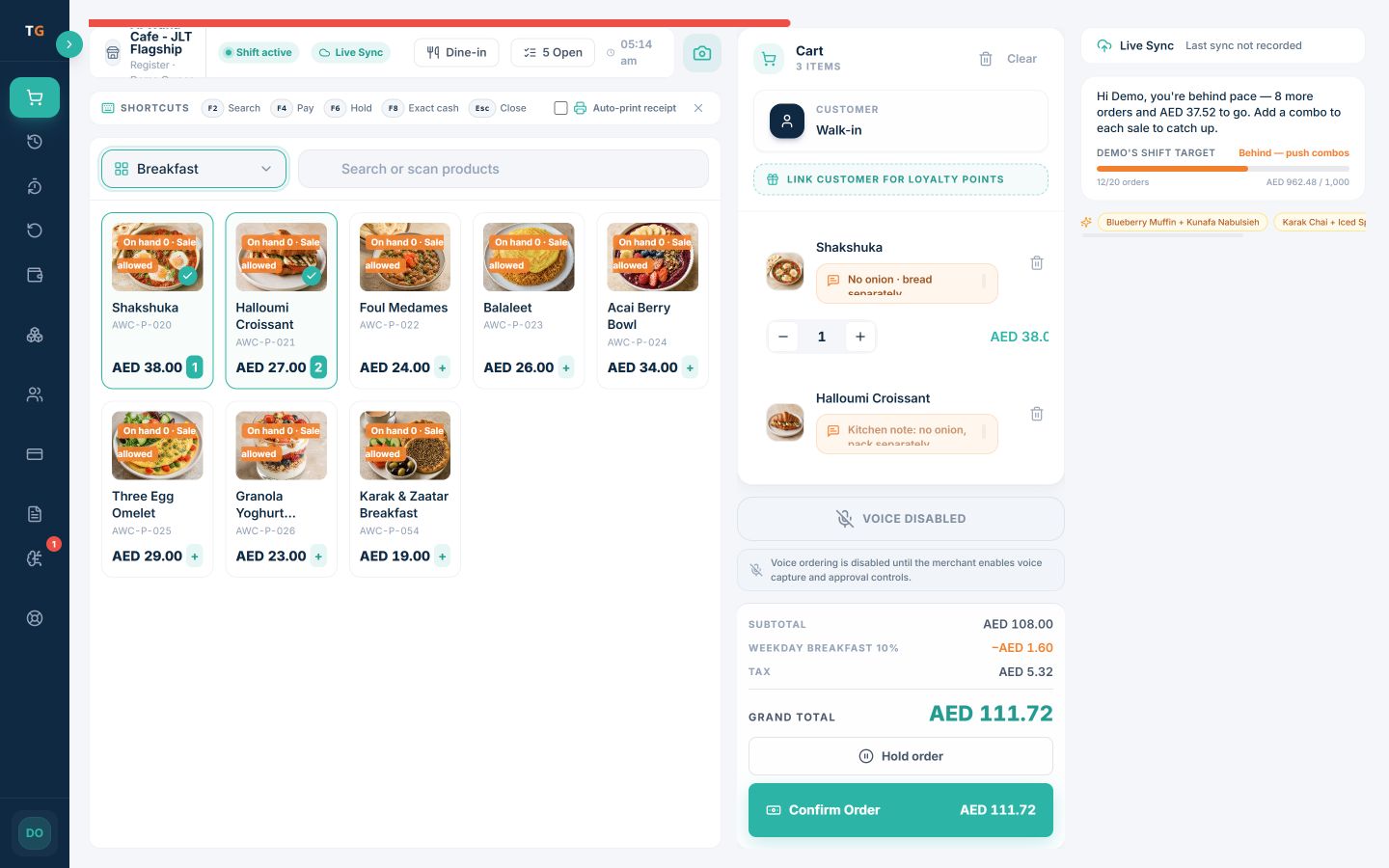
The capture shows a Breakfast category with eight photographed cafeteria items, a three-line order, quantities, Karak milk and sugar choices, a kitchen note, and the AED totals ready for review before confirmation.
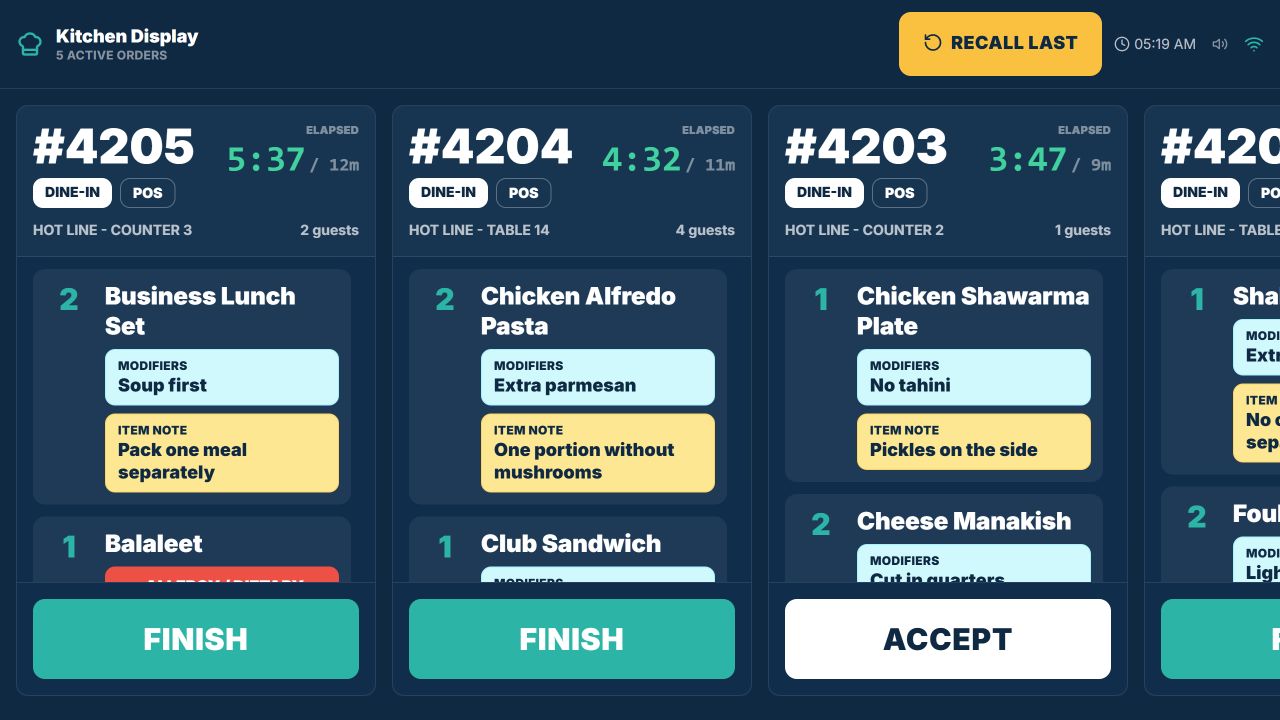
The Hot Line board shows five current cafeteria tickets with short elapsed times, quantities, modifiers, preparation notes, and both Accept and Finish actions. Kitchen access and station setup are confirmed during implementation review.
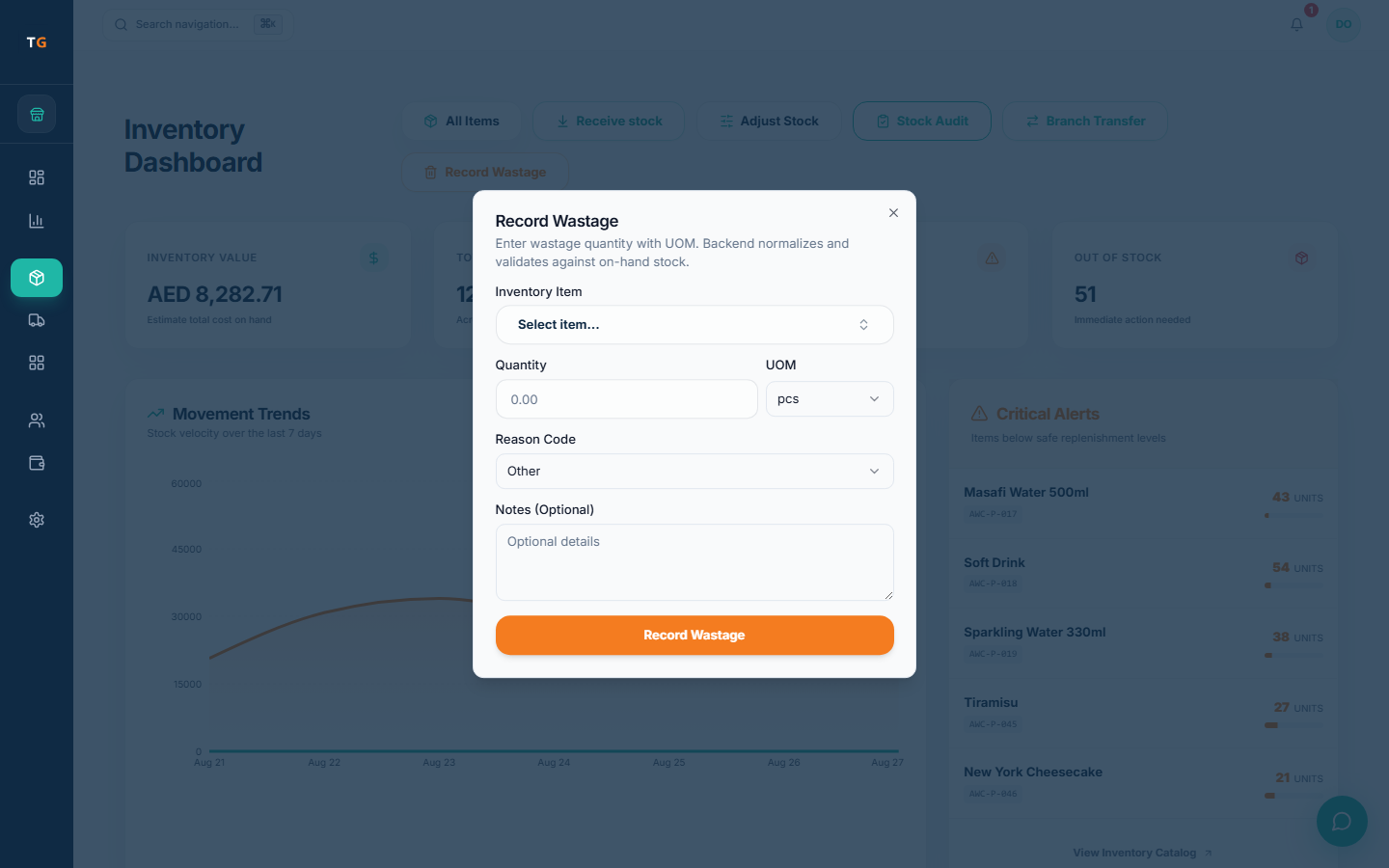
Use stock counts, movement records, low-item attention and wastage entries to investigate what changed during service. Recipe-linked movement depends on the configured menu and stock process.
UAE setup review
TajerGo configures the receipt, language, access and connectivity behavior your cafeteria needs. Check each one in the demo and implementation review before the first live shift.
Configure AED, VAT treatment, TRN and receipt details in supported receipt workflows, then review the final setup with your tax adviser.
Arabic and RTL foundations are available on supported POS, admin and receipt surfaces. Confirm exact coverage during the demo and implementation review.
Agree what cashiers, kitchen staff, managers and owners can see and do for each active branch.
Behavior depends on the device, payment method, printing setup and workflow. Test the expected scenario before rollout.
A controlled switch
TajerGo starts the move from the menu and service flow you already use. Confirm what can be prepared, imported or retrained before a cutover date is agreed.
Plan your switchMap the mixed menu, required choices, branches, customer accounts, opening stock and current-system exports.
Confirm item setup, hardware, kitchen stations, receipt details and the supported connectivity scenario.
Walk cashiers, kitchen staff, managers and owners through the actions each role will use.
Agree the cutover sequence, go-live support and handover before changing the live counter.
Published pricing
FreeAED 0
Paid plans start atAED 99per active branch each month
One Business Account keeps active branches on one plan and billing relationship. Prices exclude VAT, if applicable.
Cafeteria POS UAE questions
TajerGo groups tea, snacks, hot food and meal choices on one ticket using configured sizes, extras and required choices. Bring one real meal combination to the demo so the exact item and modifier setup can be confirmed.
Use your real cafeteria workflow
TajerGo walks through the counter, meal choices, kitchen handoff, stock review, receipt setup and shift controls your team needs. Bring one mixed order and one busy-shift problem so the walkthrough runs on your own menu.
Your 30-minute walkthrough
Built around the full service day
TajerGo connects counter orders, kitchen detail, stock records, shifts and owner review on one record. Check how they fit your cafeteria.