All features

TajerGo Reports

See the numbers behind every restaurant decision.

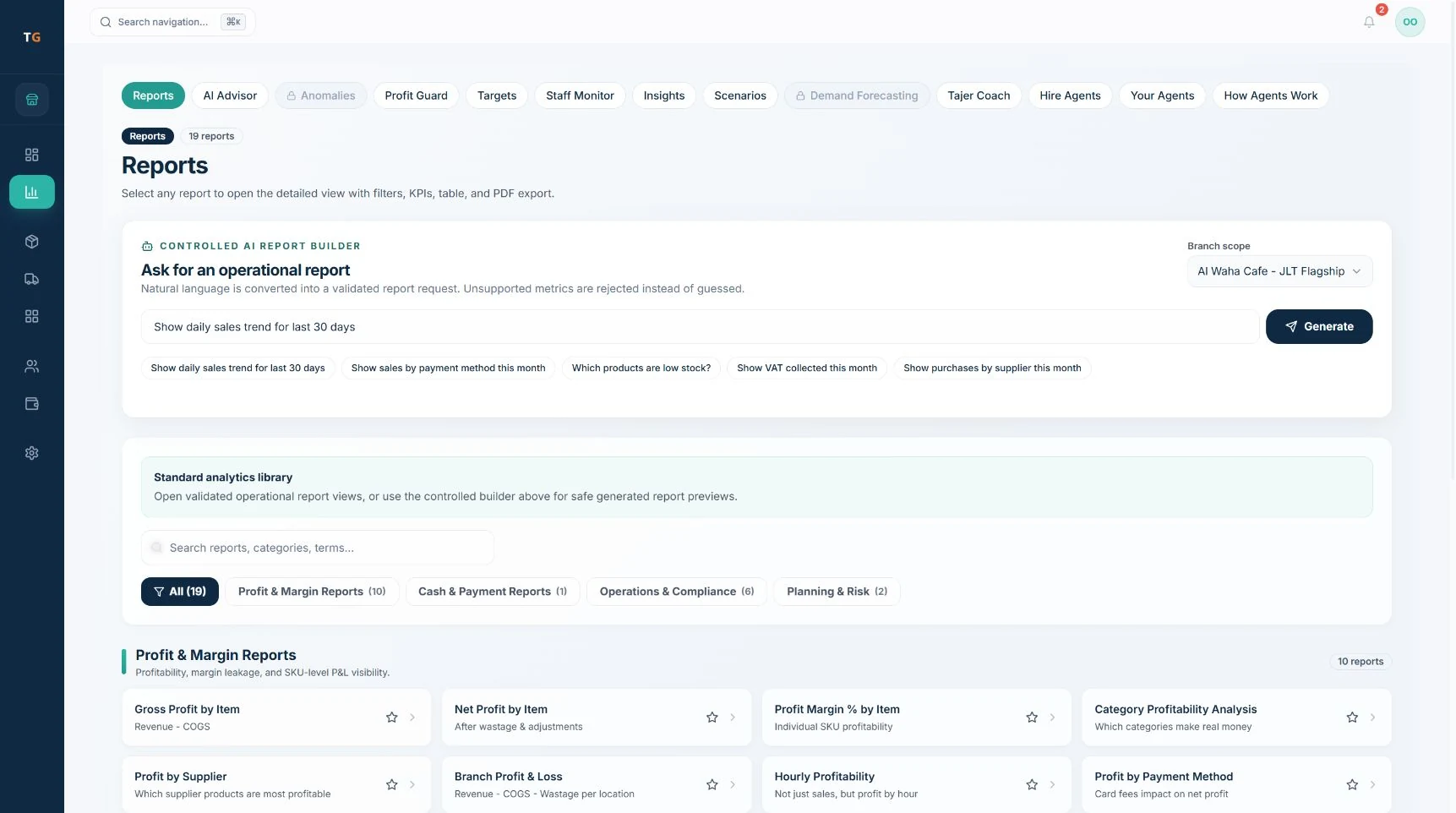
Open a standard report to review sales, shifts or stock. Filter the period and branch, then inspect the result. For supported custom questions, use the AI Report Builder.

TajerGoYour restaurant operations, connected.

What does TajerGo Reports & Analytics do?

TajerGo Reports runs standard operating reports and a controlled plain-language Report Builder. The Report Builder interprets supported questions, applies approved metrics and filters, respects branch access and runs the report. Unsupported questions stop for review.

GET TO KNOW THE TOOLS

What can you do with it?

Choose a task to see the available tools, the records they use and what your team can do next.

Review the trading day.

Choose a standard operating report to review recorded sales and payments. Check the date range and branch before comparing totals.

  • Recorded sales
  • Payment breakdown
  • Date and branch filters
Workflow illustration · fictional demo data · not an application screenshot

The tools behind the workflow

01

Sales reporting

Review permitted sales by time, channel, item and branch.

02

Shift reporting

Understand shift activity, payments and variance context.

03

Profit context

Bring sales and configured cost signals into the owner view.

04

Branch comparison

Compare permitted branches using consistent definitions.

05

Report builder

Create supported reports from scoped business questions.

06

Exports

Use available exports for finance and operational follow-up.

Choose the plan for these tools

Core reports and advanced analytics have different plan availability. AI Report Builder is listed in Scale and Enterprise; compare the plan details for the tools you need.

Compare plans and included features

Connected operating workflow

From a restaurant question to a useful report

  1. Choose a standard report, or enter a supported AI Report Builder question.

  2. Set the available date and branch options. Accepted builder questions run after validation.

  3. Review the result, its metric and supporting records.

  4. Save or export using the options available for that report.

Every report stays inside approved business definitions.

TajerGo checks every report request against allowed measures, filters, dates, access and result size. Unsupported questions stop instead of becoming guessed reports.

01

Approved measures only

02

Validated filters and dates

03

Restaurant and branch access

04

Result size stays controlled

Buyer questions

Clear answers before you change the workflow.

Read the real-time reporting guide
Can reports compare branches?+

TajerGo compares branches inside one report when the user has permission for them. Comparison follows the configured branch model.

Does the report builder answer any question?+

No. It is limited to supported metrics, filters, definitions and the authorized scope.

How does the Report Builder control requests?+

It checks each request against the approved metric and filter catalogue before running the report.

Can reports be exported?+

Available export formats are confirmed during the demo for your reporting setup.

Which plan includes the AI Report Builder?+

Report Builder is listed in Scale and Enterprise. Core reports and advanced analytics have different plan availability; compare the current pricing table before choosing.

See Reports & Analytics in your restaurant setup

Bring your question about this feature. In 30 minutes, we will show the screen, walk through the steps and setup requirements, then review the plan and pricing.

By submitting, you agree that TajerGo may contact you about your demo request. See our Privacy Policy.