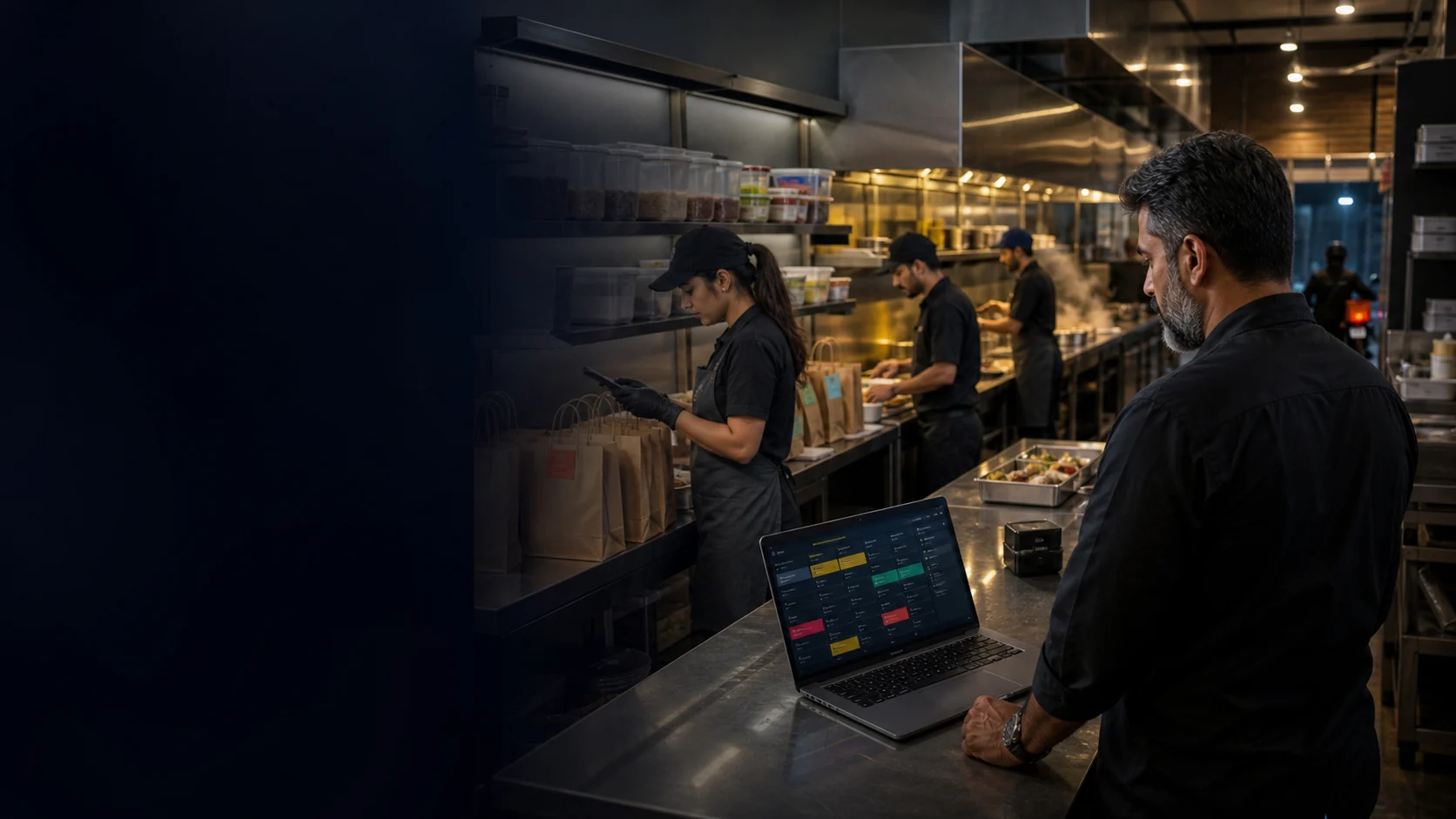
Keep brand context visible
Confirm how each supported order carries the menu, preparation, and packing context your team needs. Bring real examples to the demo.
Cloud Kitchen POS · UAE
Coordinate delivery-first orders, preparation, shared ingredients, packing, and buying from one kitchen record. Bring two real brands and a busy dispatch window so the demo can confirm the workflow your team needs.
Free plan, AED 0. No card needed.
In short
TajerGo connects the POS order record with kitchen display, shared ingredient stock, purchasing and brand-level review for a UAE multi-brand operation. Supported workflows sit within the agreed configuration, so test two brands using the same ingredient, separate preparation tickets and the final dispatch record, and confirm delivery channels, hardware, payments, offline behavior and migration before go-live.
01 · Multi-brand control
TajerGo keeps each concept clear for the team while the physical kitchen still shares people, ingredients, equipment and purchasing work.
Confirm how each supported order carries the menu, preparation, and packing context your team needs. Bring real examples to the demo.
Configure recipes, units, and stock rules so brand menus can draw from the same physical ingredient record where the setup supports it.
Explore inventory controlReview how orders enter the preparation queue, what each station sees, and where packing notes or dispatch status need to appear.
See kitchen displayKeep purchase orders, receiving, supplier invoices, and stock effects tied to the branch record your team reviews.
Explore purchasingBring one order from each brand, one shared ingredient, and the packing difference that matters. The walkthrough can then test the exact handoffs.
Real TajerGo product proof
These screens use demonstration data. Use the walkthrough to confirm brand, channel, recipe, packing, branch, and access details for your deployment.
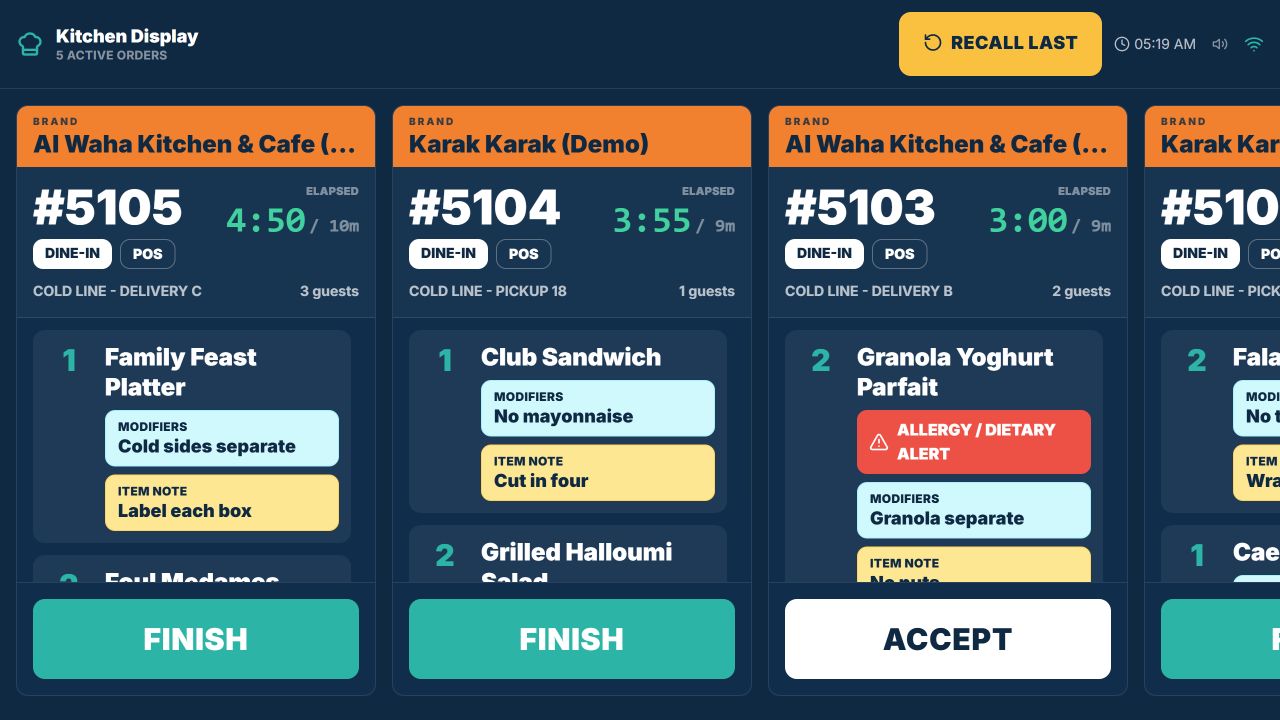
The Cold Line capture shows five active delivery and pickup tickets, two demonstration brand banners, quantities, modifiers, preparation notes, elapsed and target times, plus Accept and Finish actions.
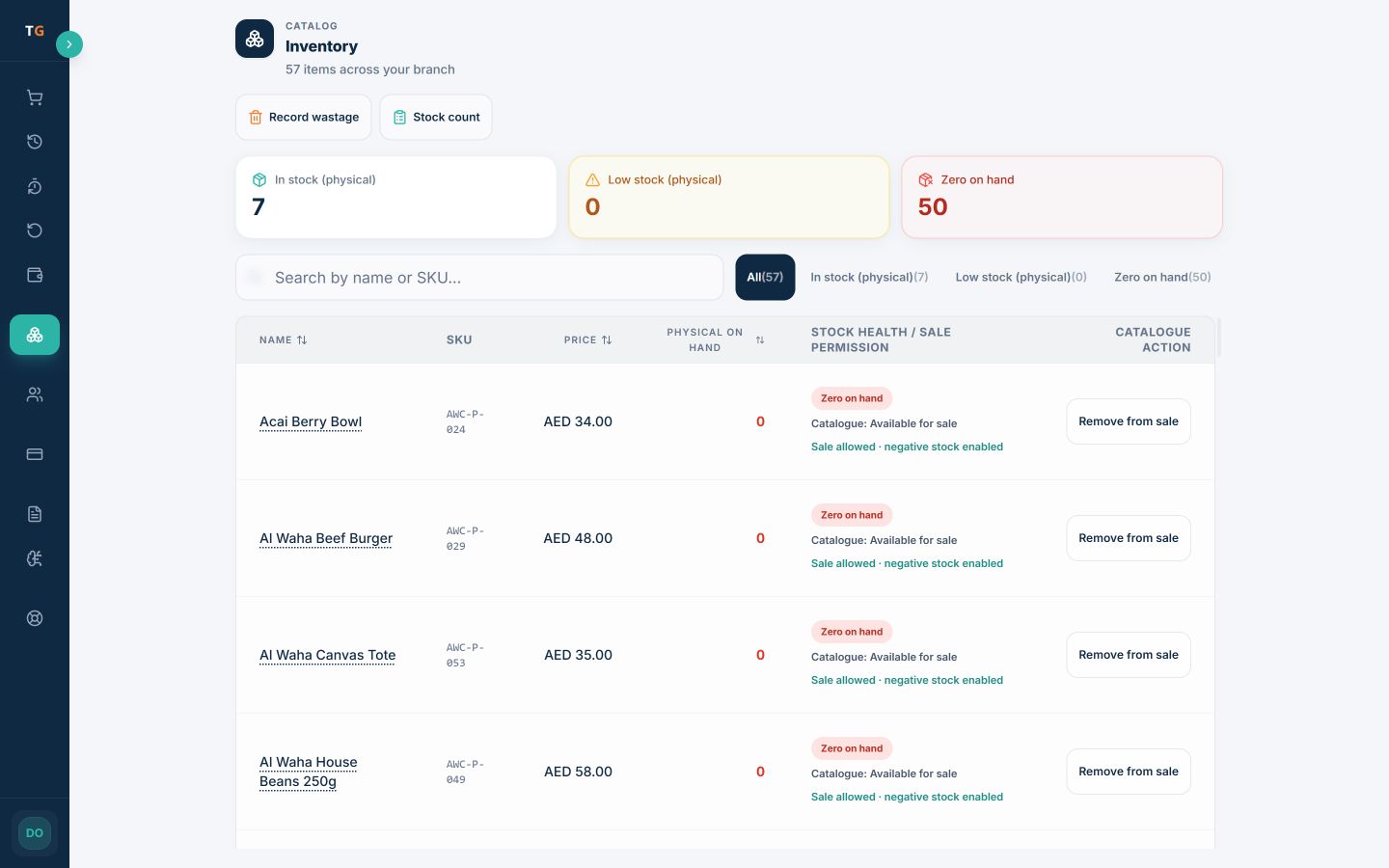
The filtered branch inventory view shows configured chicken dishes, physical on-hand quantity, stock attention, and whether each item remains available for sale. Receiving, counts, transfers, wastage, and recipe-linked movement depend on the wider inventory setup.
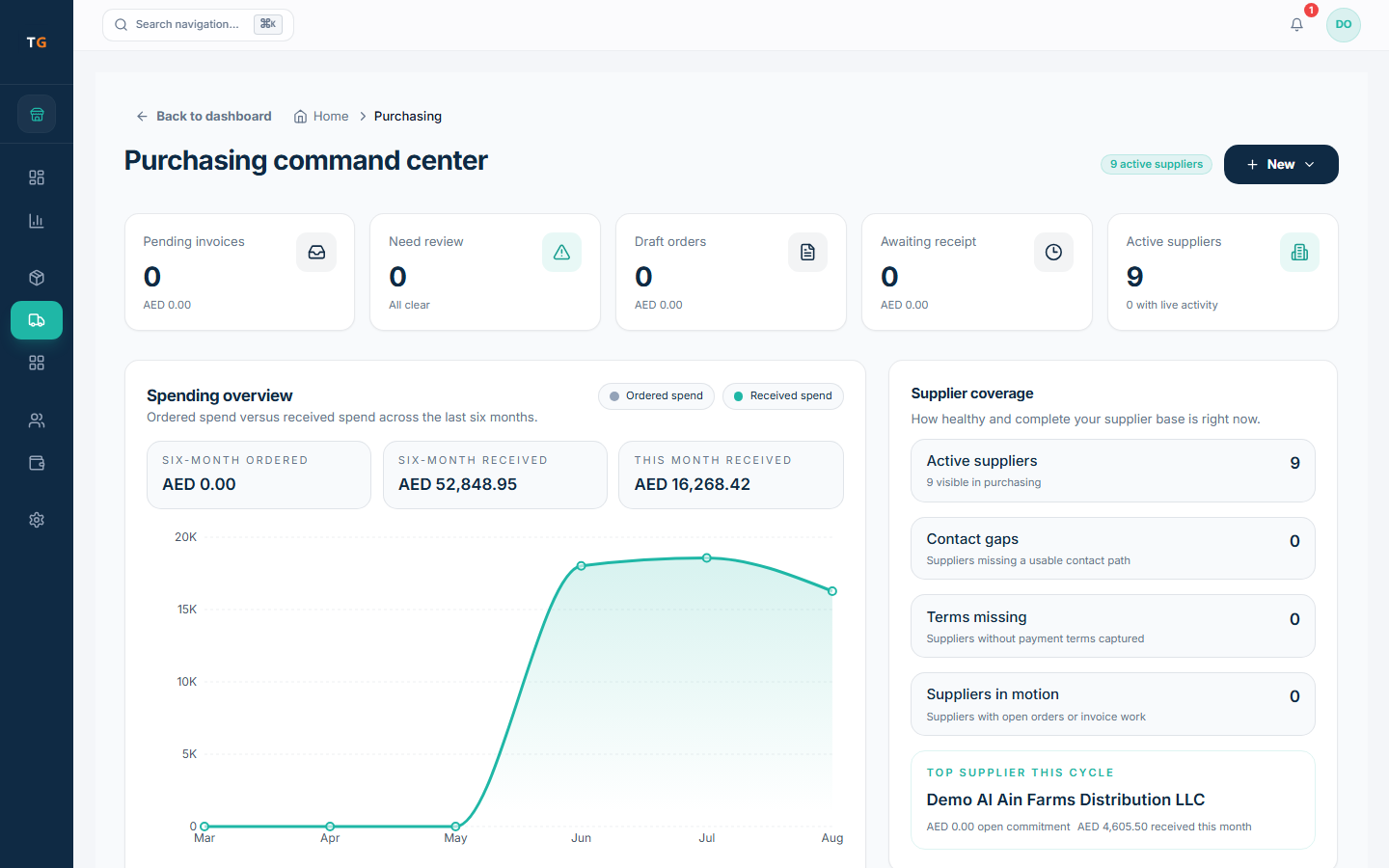
Review supplier activity, draft orders, expected receipts, and invoices that need attention. Final stock and cost effects follow the approved receiving and invoice workflow.
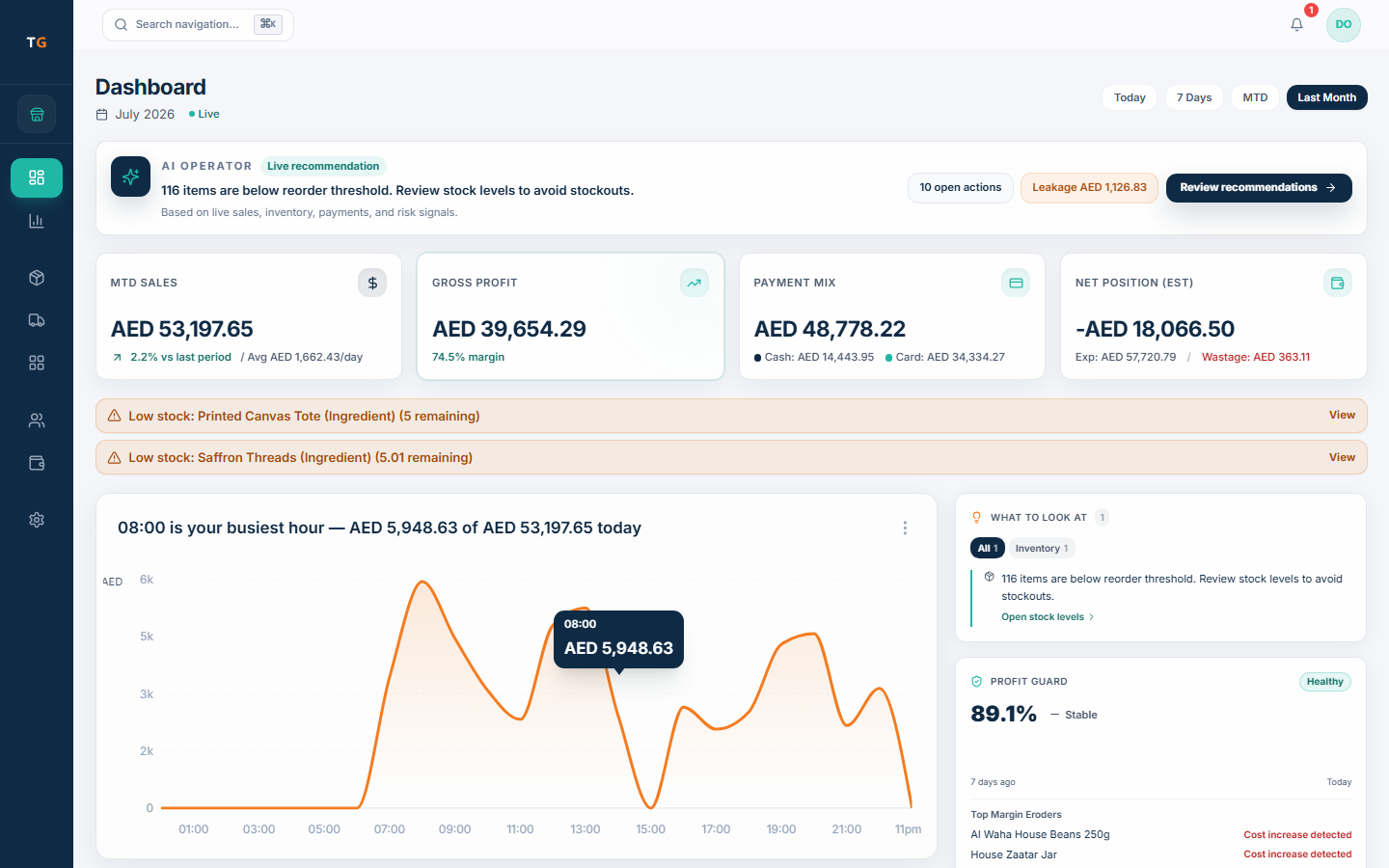
Bring sales, payment mix, costs, stock attention, and branch context into one review path. Confirm the supported brand and channel breakdown against your order-ingestion method.
UAE setup checks
TajerGo configures tax, language, access, connectivity, channel and device behavior for the kitchen. Check each one in the demo, and review the final tax treatment with your own adviser.
Configure AED, approved tax treatment, TRN, and receipt details, then review the final output.
Confirm the owner, kitchen, receipt, and right-to-left surfaces each role expects to use.
Keep owner, manager, kitchen, packing, and purchasing responsibilities clear for the agreed setup.
Test the expected device, payment, printing, sync, and order-ingestion scenario before rollout.
Confirm every intended screen, printer, payment route, and delivery-order ingestion path; do not assume a specific aggregator connection without verification.
Agree the brand catalog, recipes, opening stock, training, acceptance checks, support channel, and rollout ownership before go-live.
A controlled changeover
TajerGo moves the kitchen in a sequence the team can rehearse, starting from the operation you run today. Agree what can move, what needs preparation and how each brand stays clear during the cutover.
Plan your switchMap brands, menus, recipes, branches, users, suppliers, opening stock, and the export available from the current system.
Confirm import scope, kitchen stations, packing cues, hardware, VAT and TRN setup, and each channel method.
Run real brand orders through preparation, packing, inventory, purchasing, and owner review with the people who do the work.
Agree the sequence, fallback, go-live support, and handover before the live order flow changes.
Plans and pricing
FreeAED 0
Paid plans start atAED 99per active branch each month
One Business Account keeps active branches on one plan and billing relationship. Prices exclude VAT, if applicable.
Cloud Kitchen POS UAE questions
TajerGo fits the preparation and dispatch workflow as well as orders and payments: brand-specific menus, kitchen tickets, shared ingredients, packing and owner reporting. A basic POS records orders and payments only, so compare vendors with the same two-brand order scenario and confirm each delivery connection separately.
Use your own operating model
TajerGo walks through order context, preparation, packing, stock, purchasing, receipts, access and owner review. Bring two brands, one shared ingredient and a dispatch rush so the walkthrough matches the way your kitchen actually runs.
Your tailored walkthrough
Built for a kitchen without a dining room
TajerGo connects brands, preparation, shared stock, purchasing and the owner view on one record. Review how they fit together for your cloud kitchen.