
Build drinks with clear choices
Configure sizes, milk options, shots, syrups, and add-ons. Bring real menu items to the demo to confirm the supported choice rules and pricing.
Cafe POS · UAE
Keep detailed drink orders readable from the counter to preparation, connect recipes with stock work, and give the owner a clearer view across one cafe or several branches. Bring your menu and branch plan so the demo can test the workflow you actually run.
Free plan, AED 0. No card needed.
In short
TajerGo runs modifier-rich ordering, bar or kitchen handoff, recipe-linked inventory, VAT configuration, Arabic workflows and branch-level owner review for UAE cafes. Compare the intended devices, payment flow, migration, implementation and support scope before deciding whether it fits your cafe.
01 · Counter and preparation
TajerGo keeps the size, milk, shots, syrup, temperature and preparation note attached to the confirmed order. A cafe order is more than a product name, and the next station needs a usable instruction.
Configure sizes, milk options, shots, syrups, and add-ons. Bring real menu items to the demo to confirm the supported choice rules and pricing.
Keep selected items, choices, notes, and the order value visible before the cashier confirms the sale.
Confirm how drinks and food should reach the bar or kitchen, what each station sees, and how changes are handled after confirmation.
Explore kitchen displayReview menu control, branch responsibilities, and owner reporting for the locations you run today and the next branch you plan to open.
Review multi-branch toolsBring two drinks with different choices, one preparation change, and the branch or station rules your team follows at busy times.
Real TajerGo product screens
The screens below use demonstration data. Use the walkthrough to confirm how each screen fits your menu, stations, stock rules, and branch responsibilities.
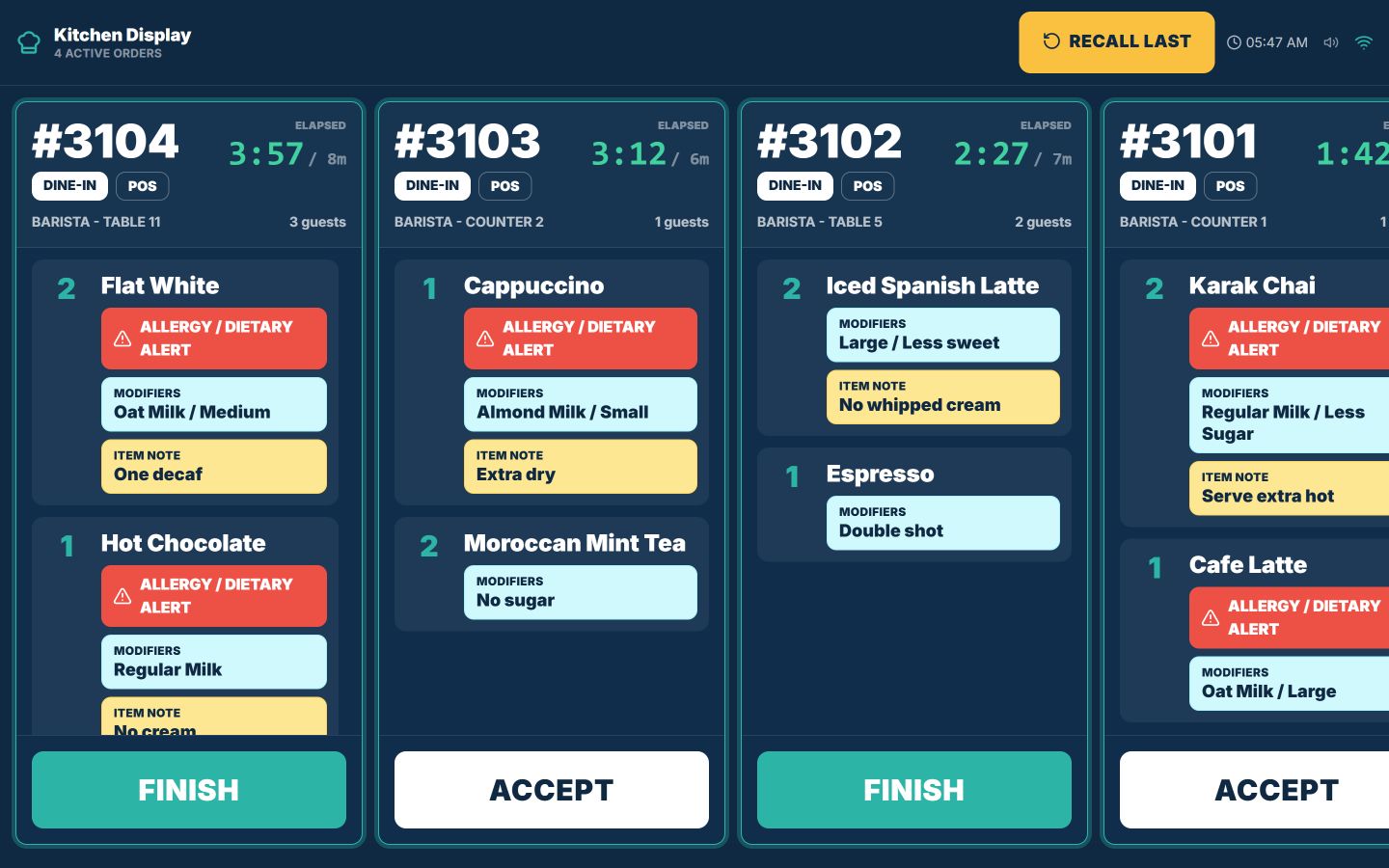
The preparation screen keeps each open order, elapsed time, item, modifier, and note together. Confirm the station layout and order states your cafe needs during the demo.
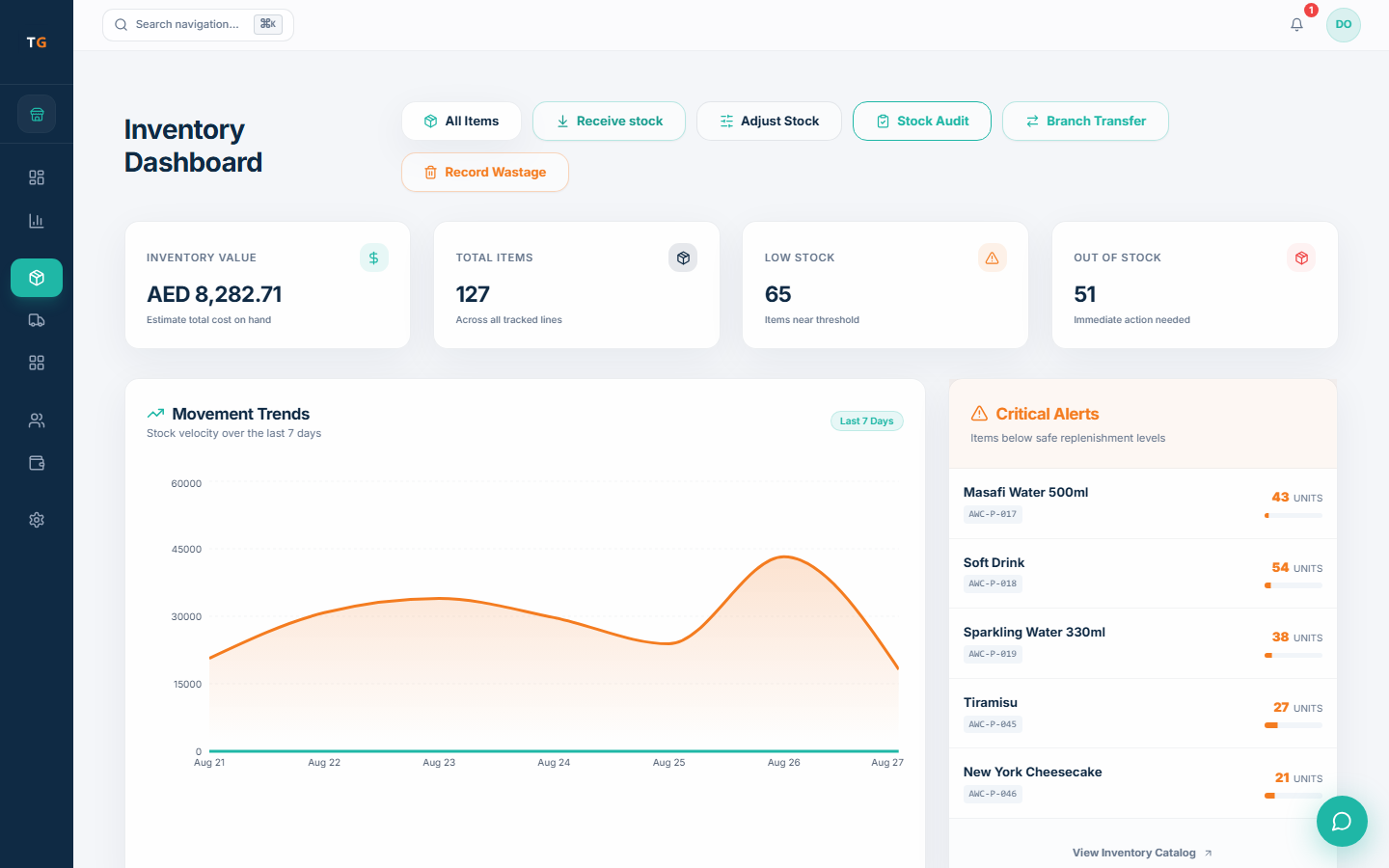
Keep receiving, adjustments, audits, transfers, wastage, and low-stock attention in one inventory record. Confirm recipe units and ingredient movement against your actual menu.
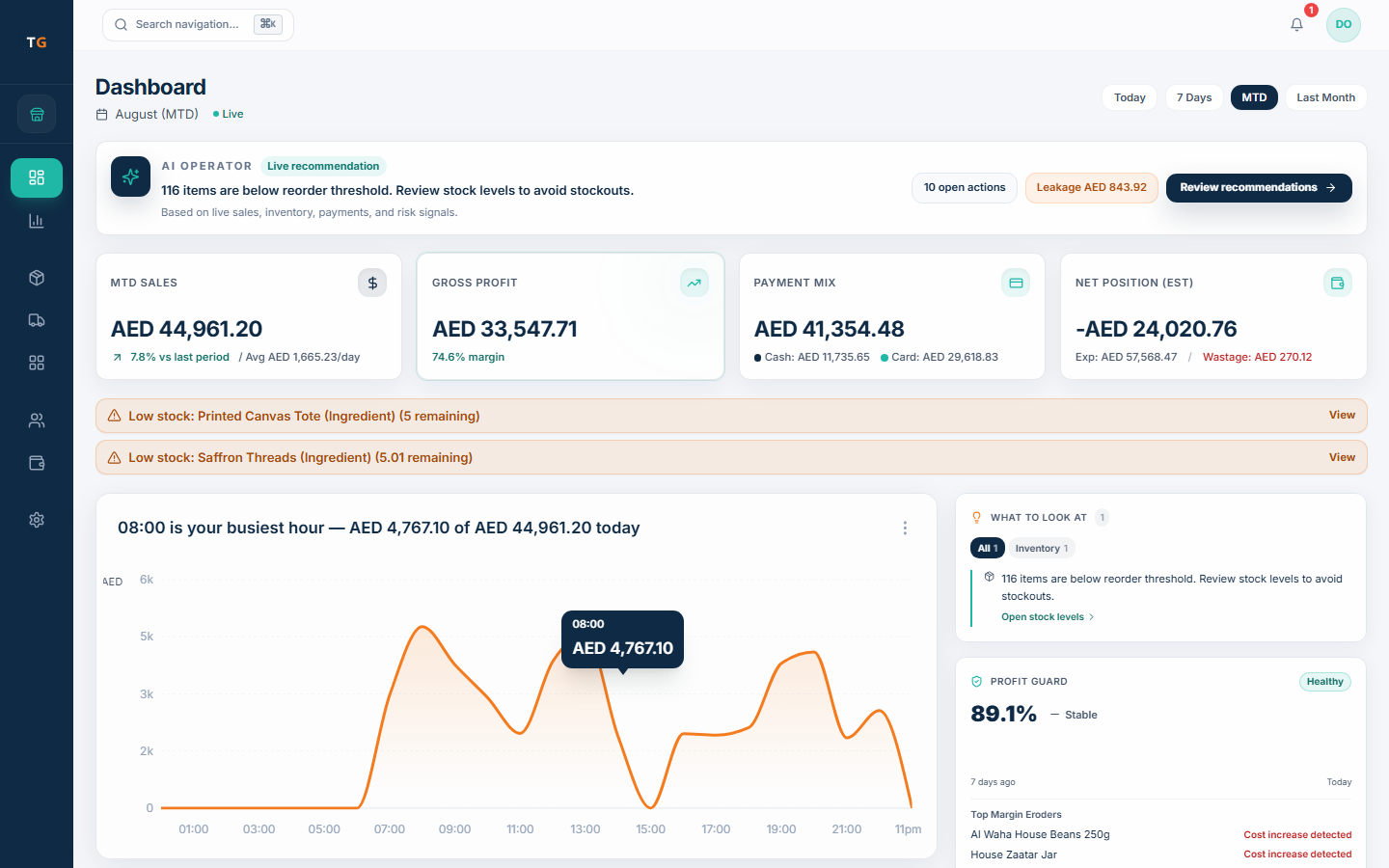
Bring sales, payment mix, expenses, stock attention, and busy-hour context into one owner dashboard, then open the detail when a branch needs a closer look.
UAE setup is part of the decision
TajerGo configures receipts, languages, devices, payment flow, stations and branch structure for your cafe. Confirm each one against your own operation before setting a go-live date.
Configure AED, tax treatment, TRN, and receipt details, then review the final output with your own adviser.
Confirm the supported cashier, owner, receipt, and right-to-left surfaces each role expects to use.
Map cashier, manager, and owner responsibilities for every active branch before access is assigned.
Test the expected device, payment, printing, and sync scenario before agreeing the rollout plan.
Confirm the counter device, receipt printer, bar or kitchen screen, payment path, and network conditions for each cafe setup.
Agree how menus, modifiers, recipes, opening stock, training, acceptance checks, and support will be handled before go-live.
Plan the move around service
TajerGo starts the switch from the data and workflows you already depend on. Confirm what can move, what stays archived, how each role will rehearse and which checks must pass before the old system is retired.
Use the UAE migration checklistList menus, choices, recipes, branches, opening stock, customer records, and the exports available from the current system.
Agree the import scope, device plan, receipt setup, station routing, and supported offline expectations.
Run counter, bar or kitchen, stock, manager, and owner scenarios with the people who will use them.
Set the launch sequence, fallback, support contacts, and sign-off checks before changing the live counter.
Pricing by active branch
FreeAED 0
Paid plans start atAED 99per active branch each month
One Business Account keeps every active branch on one plan and billing relationship. Prices exclude VAT, if applicable.
Cafe POS UAE questions
TajerGo charges from AED 99 per active branch per month on paid plans, before VAT, with a free plan at AED 0. Starter annual billing is AED 990 per active branch, and Growth, Scale and Enterprise options are listed on the pricing page.
Qualify TajerGo against your cafe
TajerGo walks through detailed drink entry, the bar or kitchen handoff, recipe stock, waste, owner review and the UAE setup your team expects. Bring two drinks, one stock issue and your branch plan so the walkthrough runs on your own menu.
Your tailored walkthrough
Built for the operating detail behind each cup
TajerGo connects drink choices, preparation, recipe stock, branch work and owner reporting on one record. Review how they fit your UAE cafe.