
Configure drink choices
Set up milk, size, shots, syrups, and add-ons for the counter flow. Bring real menu items to the demo to confirm the exact setup.
TajerGo is launching in Hyderabad, India. This page shows our UAE edition while India content is being prepared.
Book an India demoCafe POS · Dubai
Take cafe orders, keep stock activity in view, and review the day from one operating record. Bring your menu and busiest shift so the demo can confirm the exact workflow your cafe needs.
Free plan, AED 0. No card needed.
01 · Counter flow
TajerGo builds the order, holds the confirmed choices, shows the cart for review and sends the order forward. The cashier does not rebuild the customer request.
Set up milk, size, shots, syrups, and add-ons for the counter flow. Bring real menu items to the demo to confirm the exact setup.
Keep the selected items and order value visible before the cashier completes the sale.
Confirm the supported kitchen preparation flow and the information each station needs during your demo.
See kitchen displayUse the counter shortcuts and shift controls relevant to the way your team takes, holds, and completes orders.
Bring one real drink so the walkthrough can follow its choices, cart review, kitchen handoff, and receipt flow.
See the cafe workflow
TajerGo records the sale at the counter, shows what moved and what needs attention in inventory, and brings the trading day together on the owner dashboard.
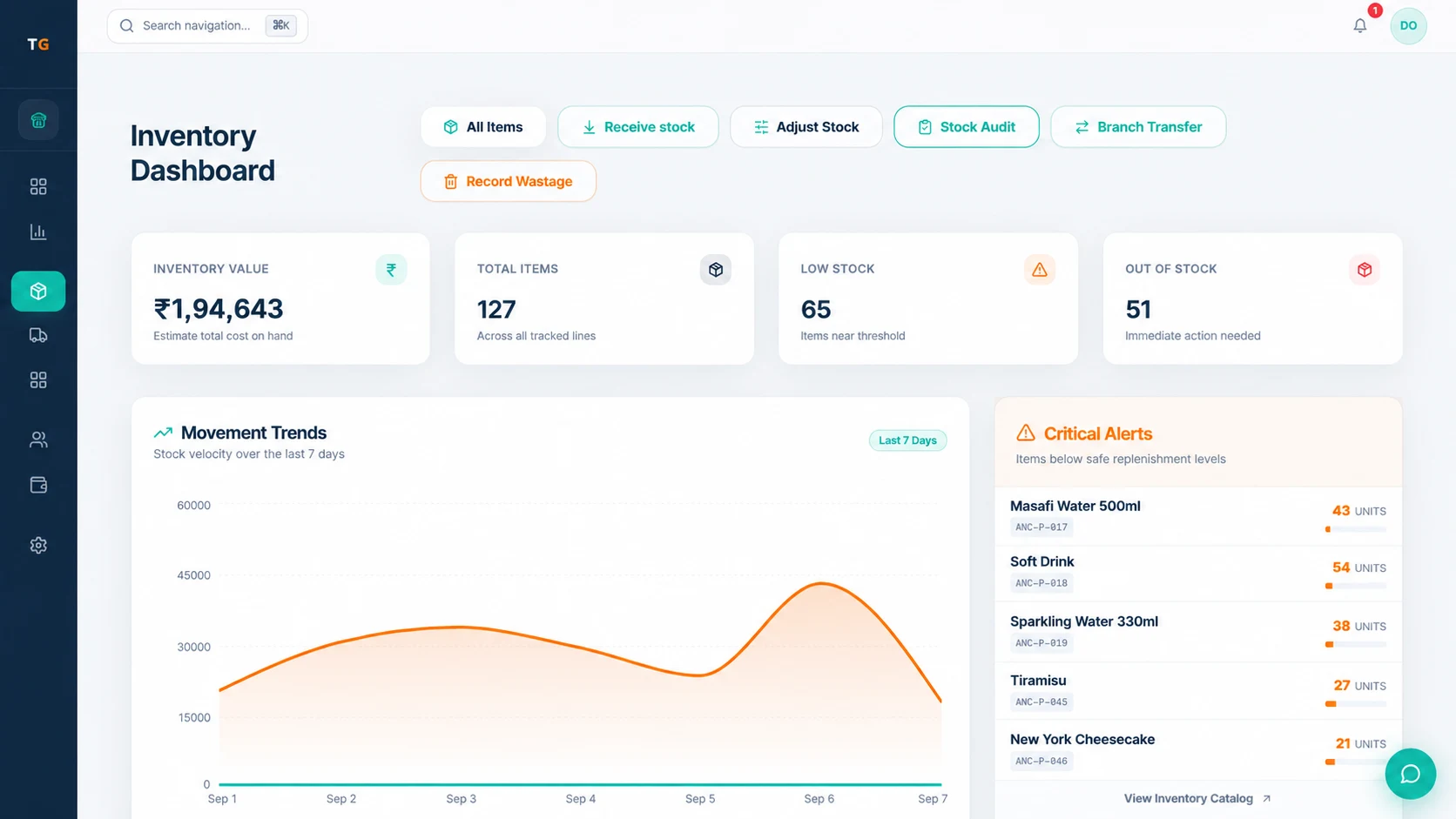
Use recipes, units, and stock rules to connect menu sales with ingredient movement and cost signals. Keep receiving, checks, waste, transfers, and low items in one inventory workflow.
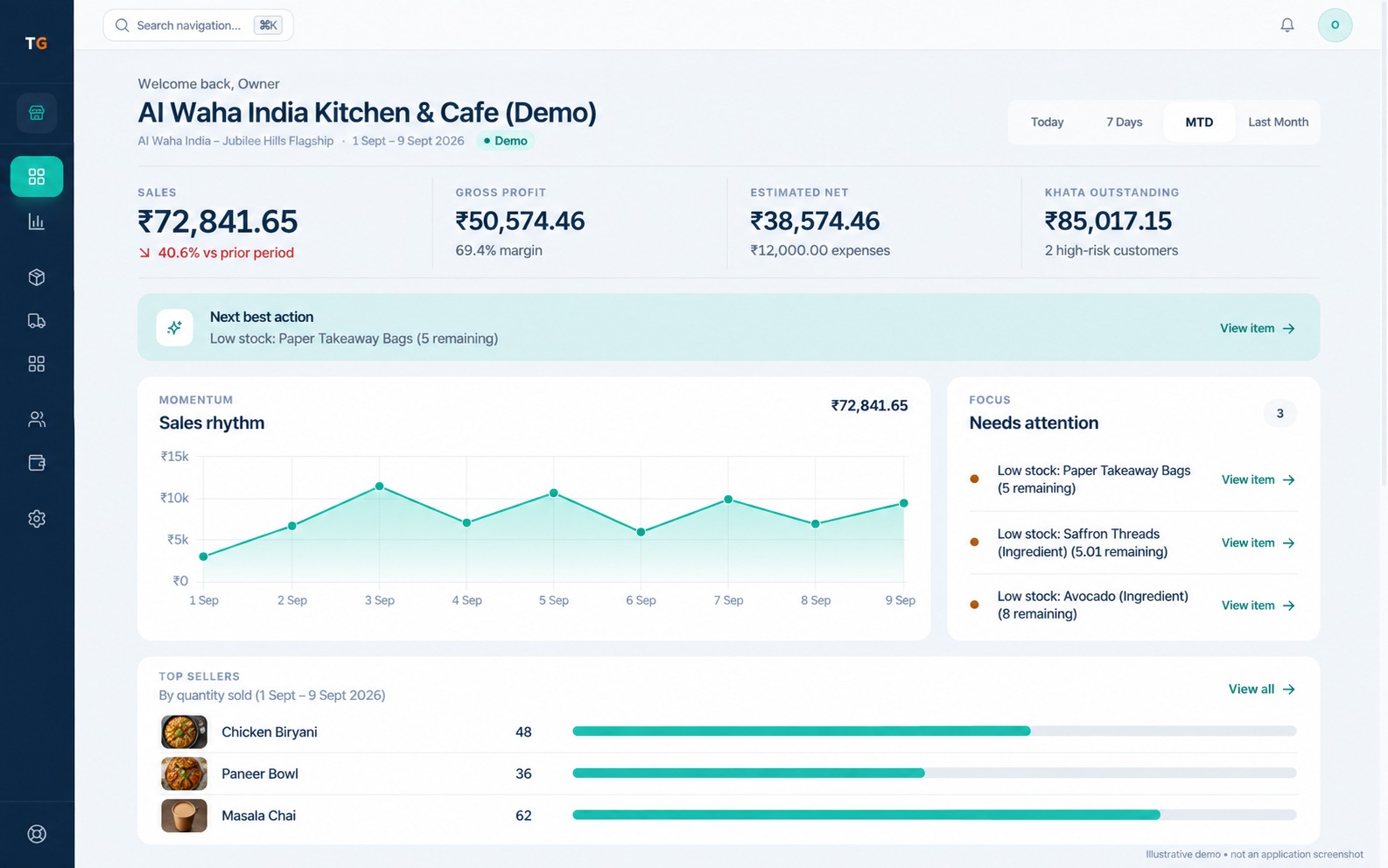
Bring sales, payment mix, expenses, stock alerts, and busy hours into one owner view, then open the detail only when it needs investigation.
Built around UAE restaurant work
TajerGo configures the language, receipt, access and connectivity behavior your Dubai cafe needs. Check each one in the demo, and review the final tax setup with your own adviser.
Configure AED, tax treatment, TRN, and receipt details, then review the final result.
Confirm the cashier, owner, receipt, and right-to-left surfaces your team expects to use.
Keep cashier, manager, and owner responsibilities clear for each active branch.
Test the device, payment, printing, and sync scenario before agreeing the rollout plan.
A safer switch
TajerGo starts the switch from the cafe you already run. Agree what can move, what needs preparation and how the team will be supported before any go-live date is set.
Plan your switchMap the menu, branches, customers, opening stock, and the export available from the current system.
Confirm import scope, hardware, VAT and TRN setup, and supported offline expectations.
Walk cashiers, managers, kitchen teams, and owners through the workflows relevant to their roles.
Agree the cutover sequence, go-live support, and handover before changing the live counter.
Straightforward pricing
FreeAED 0
Paid plans start atAED 99per active branch each month
One Business Account keeps active branches on one plan and billing relationship. Prices exclude VAT, if applicable.
Cafe POS Dubai questions
TajerGo charges from AED 99 per active branch per month on paid plans, before VAT, with a free plan at AED 0. Starter annual billing is AED 990 per active branch, and Growth, Scale and Enterprise options are listed on the pricing page.
See TajerGo on your cafe workflow
TajerGo walks through drink choices, the supported kitchen flow, stock process, receipt setup and the owner review your cafe needs. Bring three real drinks and one rush-hour scenario so the walkthrough runs on your own menu.
Your 30-minute walkthrough
Built around the way cafes work
TajerGo connects the counter, stockroom, purchasing and owner view on one record. Review how they fit together for your cafe.